Every inspection ends with proof attached
Build a checklist for any asset, run it on a phone with no signal, and capture photos and signatures as you go. A failed check becomes a tracked action in one tap — linked to the answer that raised it.
What a working inspection programme looks like
Build the checklist, run it in the field, and keep the record that proves it happened.
Schedule inspections once and stop chasing them
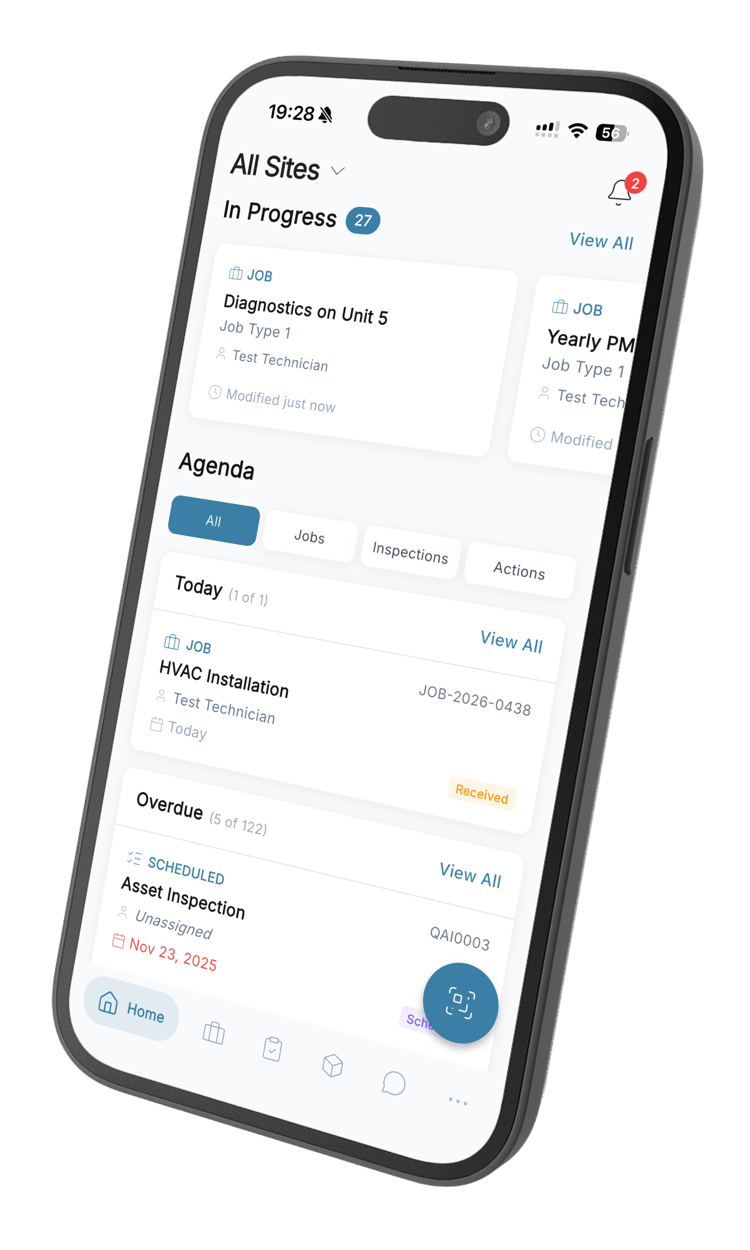
Give a checklist an interval in days and every asset it covers carries its own next-inspection date. Anything overdue shows in red on the asset list, and the technician sees it waiting on the home screen of the app.
Start from the procedure you already have
Upload the PDF your team has been inspecting from and AI pulls a checklist out of it, section by section, for you to approve before anything saves. Or describe what you need in a sentence, name the industry and equipment type, and edit the draft in the builder.
The same procedure, followed the same way, every time
Each check carries its own rules: a photo required when it fails, a comment before it can be skipped, a numeric reading that has to sit between a minimum and a maximum. Mark a check instant-fail and one bad answer fails the whole inspection.
Be ready when someone asks for the record
A completed inspection keeps who did it, when, where — GPS coordinates included — how long it took, every photo taken, and the signature at the end. Require a second approval signature on the checklists that need one, and export any inspection as a PDF.
 +2
+2See which checks keep failing, and which get skipped
Checklist analytics ranks every check by how often it fails, over whatever date range you pick. Skipped answers are counted separately from failures, so you can tell a real problem from a check nobody is doing.
Built into every inspection
Runs with no signal
Checklists live on the device. Answers, photos and signatures queue up and sync themselves when the phone finds a connection again — retried on their own if it drops mid-upload.
ExploreEvery answer type a check needs
Pass, fail or N/A. A numeric reading with a unit and a valid range. Free text. A photo. A signature. Each check is set to the one that fits it.
Scan the code, start the inspection
The QR code on the asset opens its record on the phone, with its checklist one tap away. No searching for the right asset in a list while standing in front of it.
Failed checks become tracked actions
Raise an action straight from the answer that failed. It arrives already carrying the inspection, the check, the asset, the site and the client.
ExploreShare the record without a login
Send a completed inspection to a client or a contractor as a link they can open. No account, no app, no attachment to lose.
Keep the paperwork with the job
Attach manuals, certificates, permits and datasheets to a checklist or an inspection, so the reference material is where the work is.
ExploreInspection questions, answered
How checklists are built, what happens in the field, and where QAI stops.
Still have questions? Contact our sales team
It replaces the paper checklist with one that runs on a phone, so every answer is stored with the photo, the reading, the time and the person who gave it. The difference from a forms app is what the answer is attached to: the inspection belongs to a specific asset, joins that asset’s history, and a failed check can raise work against it.
Yes. The builder is drag-and-drop, with sections you can reorder, and each check is set to what it actually needs — pass, fail or N/A, a numeric reading held between a minimum and a maximum, free text, a photo or a signature. Checklists belong to the organisation, so the same one runs at every site instead of being rebuilt team by team.
Upload the PDF your team inspects from and AI extracts a checklist out of it, which you review in a preview before anything is saved. You can also describe what you need in a sentence and generate from that, or build the checks by hand — and edit the result either way.
Checklists are stored on the device, so an inspection runs the same with or without coverage. Answers, photos and signatures queue on the phone and upload themselves when a connection returns, retrying on their own if it drops mid-upload. While the phone is online the count of answered checks updates as the technician works, so progress is visible without phoning anyone.
The failure is recorded against that specific check, with whatever photo or comment its rules require. From the failed answer you raise an action in one tap, and it arrives already carrying the inspection, the check, the asset, the site and the client. QAI does not fire that off by itself — a person still decides — but nobody re-types the context.
Give a checklist an interval in days and every asset it covers carries its own next-inspection date. Anything past that date shows in red in the asset list, and the technician finds it waiting on the home screen of the mobile app rather than having to go looking for it.
Checklist analytics ranks every check by how often it fails across a date range you choose, and counts skipped answers separately from failures, so a check nobody performs does not read as a check that passes. The filters are the date range and the checklist — there is no side-by-side comparison of one site against another yet.
Each completed inspection stores who ran it, when it started and finished, how long it took, the GPS coordinates it was completed at, every photo attached and the technician’s signature. Checklists that need a second pair of eyes can require an approval signature, stored with the approver’s name and the time they signed, and any inspection exports as a PDF.
Yes. A completed inspection can be shared as a link that opens without logging in, which is how most teams get a record to a client, a landlord or a contractor. They need no account, and it costs you no licence.
No. Every check on a checklist is shown to the technician; nothing is revealed or hidden based on an earlier answer. You can set rules per check instead — require a photo when it fails, a comment before it can be skipped, a numeric reading held to a range, or mark a check instant-fail so one bad answer fails the whole inspection. That covers most of what branching gets asked for, but if you need a checklist that genuinely changes shape mid-inspection, QAI is not there yet.
No. Inspections are part of QAI on one per-user subscription, with no separate module fee. Run inspections and nothing else if that is all you need — work orders, assets and analytics are there when you want them, not something to buy later.
Stop taking your inspections on trust
A signed page in a folder proves nothing you can search. Keep every inspection where the photo, the signature, the location and the failed check sit together — and pull any one of them up in seconds.
From R216 per user per month · 14-day free trial · No credit card