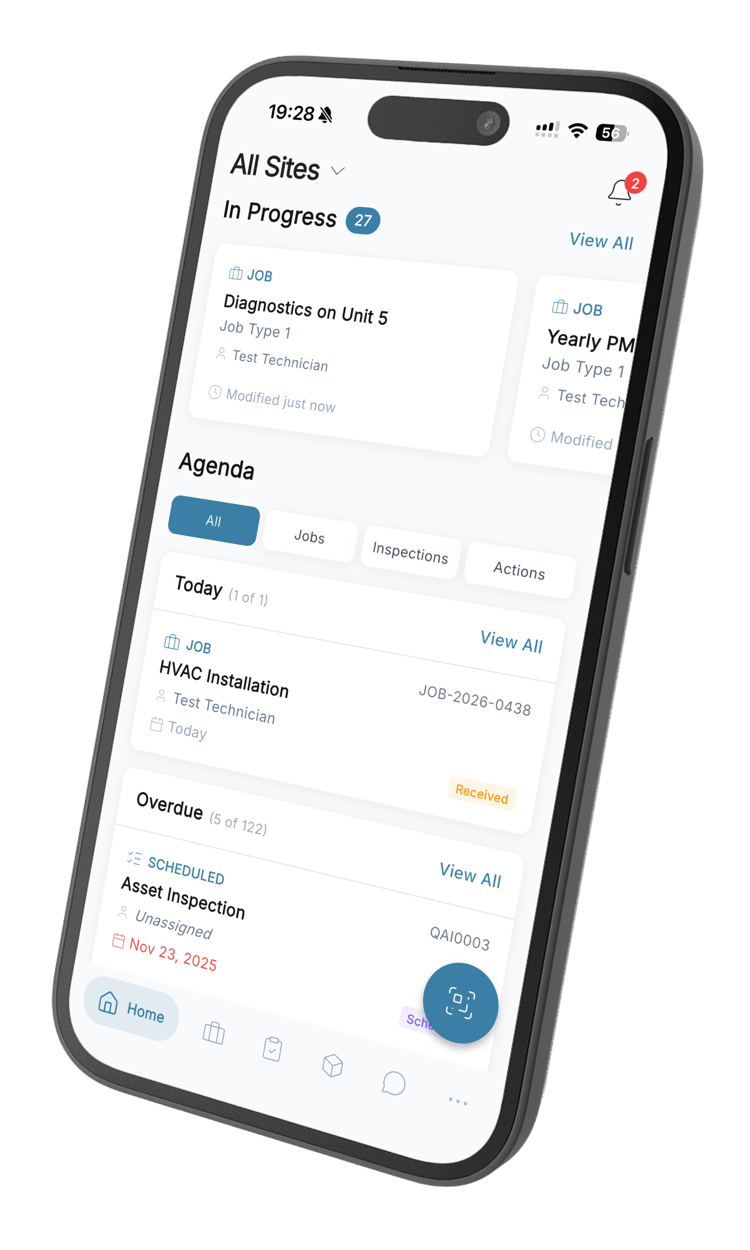
A CMMS your team will love to use
Manage assets, schedule maintenance, track work orders, and gain complete visibility into your operations. Reduce costs, minimize downtime, and keep your teams connected.
What is a CMMS?
A Computerized Maintenance Management System (CMMS) enables organizations to manage assets, schedule and track work orders, and gain visibility into the process end-to-end. A CMMS helps companies reduce maintenance costs and minimize asset downtime, while increasing safety and work order completion rates.
What QAI delivers
Everything a maintenance team needs to plan, do, and record its work.
Schedule & Track Maintenance
Modernize how your teams handle all types of maintenance work and gain complete visibility across every stage of the process.
- Create, assign, and monitor work orders for single or multiple assets
- Plan preventive maintenance by time intervals or usage metrics
- Trigger condition-based maintenance from out-of-spec readings
- Automate recurring inspection schedules
Flexible Workforce Planning
Give your field technicians and back-office teams an intuitive platform to manage their workload efficiently.
- Assign work orders to available technicians based on skills and location
- View and reorganize scheduled work in real-time
- Stay audit-ready with enforced SOPs and automatic work records
- Balance workloads across your maintenance team
Reports That Answer Questions
Make smarter decisions with maintenance data without needing a data analysis background.
- Understand critical workforce performance metrics at a glance
- Built-in reports and dashboards using your connected asset data
- Export data to your preferred BI tools
- Automatically share insights with stakeholders
Parts and Stock Control
Save costs and simplify inventory management with complete visibility across all your sites.
- Automatically track parts inventory levels
- Get alerts when stock runs low
- Monitor cost of labor and parts with built-in reports
- See which asset types consume the most parts, and what they cost

Every capability a maintenance team needs
Work order management
Create, assign and track job cards in real time. Priorities, due dates, checklists and attachments on every job, with the history filed against the asset it belongs to.
ExplorePreventive maintenance
Schedule recurring work by date, by interval or by meter reading. Jobs raise themselves and land on someone with room left in the week.
ExploreAsset management
A register with location, warranty, risk level and full service history. Scan the QR code on an asset to open its record where you are standing.
ExploreParts and inventory
Stock levels across your stores, a minimum on every part, and a purchase order raised when one drops below it. Usage stays tied to the job that consumed it.
ExploreAnalytics and reporting
Downtime, response times, completion rates and cost per asset, broken down by site or by technician. Compliance evidence falls out of the work itself.
ExploreMobile app
Full functionality on iOS and Android, not a cut-down companion. Photos, signatures and meter readings captured at the point of work, and it keeps going with no signal.
ExploreResults that speak for themselves
Organizations using QAI as their CMMS have achieved measurable improvements across their operations.
Keep your teams connected
Share knowledge, answer questions, and provide clarification anytime, anywhere. QAI is designed with frontline workers in mind, delivering a mobile-native experience that keeps everyone on the same page.
Mobile-First Design
Built for field workers with an intuitive mobile experience that works offline.
Team Communication
Keep conversations in one place with instant messaging for individuals, groups, and work orders.
Photo Documentation
Enable technicians to capture and share photos of issues with colleagues instantly.
Real-Time Notifications
Keep everyone informed with automatic alerts for assignments, updates, and completions.

Found the issue with Unit 3. Compressor bearings are worn.
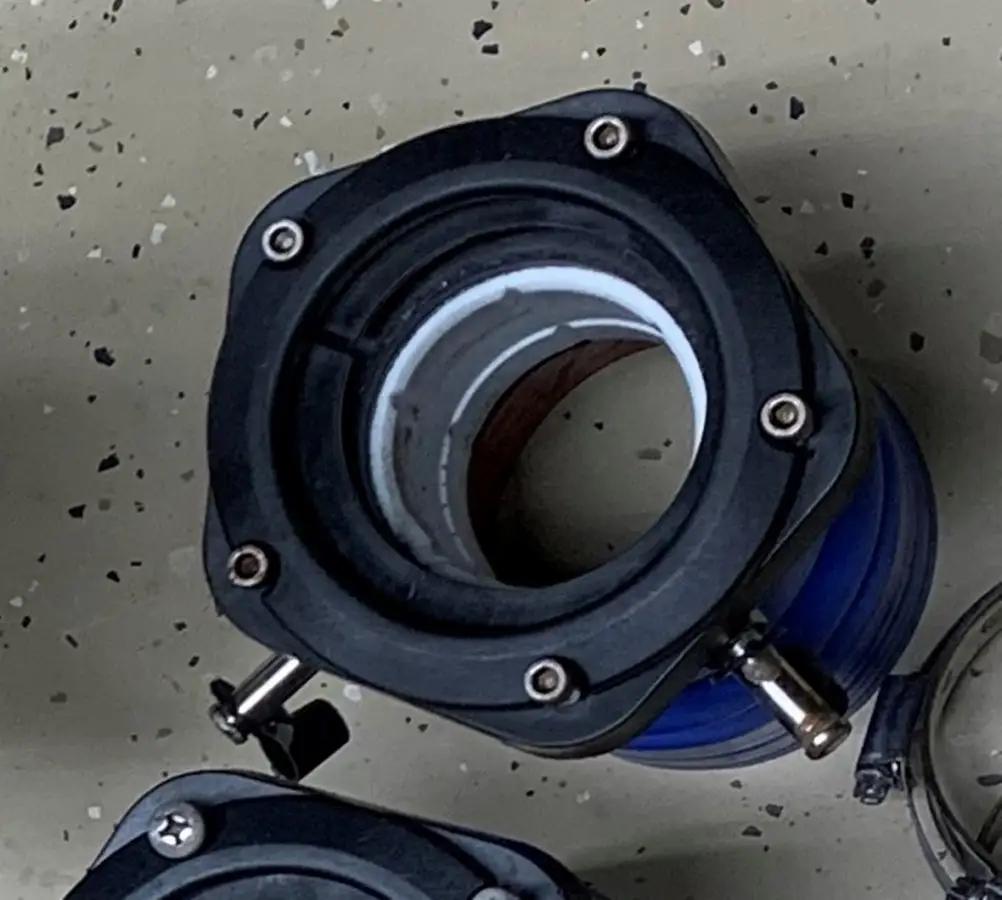 Photo attached
Ordering replacement parts now. Should arrive tomorrow.
Thanks! I'll schedule the repair for Wednesday morning.
Built for every part of your maintenance team
From the technician to the operations lead reviewing the month, everyone works from the same records.
For maintenance managers
Plan the week against real capacity, see who is overloaded before Monday, and move work to whoever has room. Recurring jobs land on the people who can take them.
See schedulingFor technicians
Job cards, checklists and asset history on a phone, with photos and signatures captured at the point of work. Keeps working when the signal does not.
See the mobile appFor operations leaders
Downtime, response times and cost per asset across every site. Compliance evidence comes out of the work itself instead of a month-end scramble.
See analyticsCMMS questions, answered
What a CMMS is, what QAI costs, how it runs on a phone, and what it does and does not do.
Still have questions? Contact our sales team
A CMMS (Computerized Maintenance Management System) is software that centralizes all maintenance activities — work orders, preventive maintenance, asset tracking, and compliance — in one platform. Companies need a CMMS to reduce unplanned downtime, cut maintenance costs, extend asset life, and ensure regulatory compliance. Organizations using a CMMS typically see 20-50% improvement in maintenance efficiency.
Most teams are up and running within a few days. QAI is designed for rapid deployment — create your account, add your assets, and your team can start managing work orders immediately. There is no complex IT setup required. For larger organizations with thousands of assets, full rollout typically takes 2-4 weeks.
Yes. QAI works fully offline on mobile devices. Technicians can create work orders, complete inspections, update asset records, and capture photos without any internet connection. All data syncs automatically when connectivity returns. This is essential for facilities with poor coverage like basements, warehouses, and remote sites.
Through the REST API, yes. What QAI does not have is a pre-built connector — there is no one-click link to SAP, Sage, Xero or anything like them, and we would rather say that here than let you find out during implementation. Teams that need asset records, work orders or costs in another system build against the API, and parts and meter readings can also be imported in bulk from a spreadsheet.
QAI offers a free plan for up to 2 users with unlimited work orders, asset tracking, inspections, mobile app, and offline mode. Paid plans start at R216/user/month for advanced features like recurring jobs, digital signatures, and analytics. Enterprise pricing is available for large organizations.
QAI is built mobile-first for frontline workers, not desktop managers. It works fully offline, deploys in days not months, and includes built-in AI for generating inspection checklists. Unlike legacy CMMS platforms, there is no complex IT setup — your team can start in minutes with an intuitive interface designed for technicians in the field.
No. Pricing is published per user per month, and a user is someone with their own login to the QAI app — you pay for the people actually working in it. The mobile apps, offline mode, updates and support come with every plan rather than being sold as add-ons, and there is no implementation fee.
Yes, for iOS and Android, and it is not a cut-down companion. Technicians get job cards, checklists, asset history, meter readings and parts on their phone, capture photos and signatures at the point of work, and scan an asset QR code to open its record. It keeps working with no signal and syncs when the connection returns.
A CMMS manages maintenance while an asset is in service — work orders, preventive schedules, inspections and spares. An EAM wraps the whole lifecycle around that, adding procurement, depreciation and disposal, and it is a far larger implementation. QAI is a CMMS with asset registers, history and costs attached, which is what most maintenance teams actually need. If you are being asked to replace a finance system, you want an EAM.
Yes. Assets, jobs and inspections are organised by client, site and zone, so a regional manager sees everything while a technician sees only their own site. Analytics break down by site or by person. Role-based access, SSO and SAML are available for larger organisations.
QAI is cloud-based. There is nothing to install and no server to maintain, updates arrive automatically, and the same records are available from a desk, a phone or a tablet. Data is encrypted in transit and at rest. We do not offer an on-premise deployment.
It builds inspection checklists. Upload an existing form or describe what needs checking, and QAI drafts the checklist for you to edit and publish — a real saving on the tedious part of moving off paper. It does not predict failures or plan your maintenance for you. Anything claiming that is doing statistics on data you have not collected yet.
Ready to modernize your maintenance operations?
Create work orders, cut downtime, and keep your assets running - from R216 per user per month.
14-day free trial · No credit card · Set up in a day